Skip to content
Jamanvar by Kelviontech

Recipe-Level Inventory

Every plate sold takes its ingredients out of stock.

Every plate you sell takes its exact ingredients out of stock. You see what's low before the kitchen runs out, and what each dish really costs to make.

Recipe-Level Inventory, shown with sample restaurant data.

What it does

Catch the leak before it becomes a habit

Most restaurant owners have had the same quiet suspicion: sales are good, but the margin isn't what it should be. Somewhere between the grocery invoice and the guest's plate, paneer is disappearing. It could be over-portioning, sampling, spoilage or something worse. Without a record of what should have been used, there's no way to tell.

Jamanvar starts with the recipe. Each dish on your menu is mapped to its ingredients, down to the gram: so much paneer, so much butter, a pinch of kasuri methi. Every time that dish is punched, those quantities come out of your digital pantry automatically. Stock on hand is always what the system says it should be, which makes anything that doesn't add up stand out.

That gives you the simple, useful things owners actually want. A warning when the mint and coriander are almost gone, well before the kitchen finds out mid-service. A place to log wastage so it stops hiding inside "usage". Purchase orders that go to vendors and get checked off when the goods arrive. And a food-cost percentage for each dish that stays current as your recipes and sales change.

A good fit for kitchens that already cost their recipes, and for owners whose food-cost margin has been creeping up.

Recipe Mapping
A bill of materials for every dish, in real quantities, down to the gram.
Auto Deduction
Stock is deducted automatically each time a KOT is punched. Nobody counts by hand.
Low-Stock Alerts
You're warned while there's still time to reorder, not when the chef says "we're out".
Wastage Logging
Record spoilage, sampling and returns daily, so wastage is a number rather than a mystery.
Purchase Orders
Raise vendor purchase orders and log goods received against them.
Food Cost
The cost and margin percentage of each dish, calculated live from your recipes.

In more detail

Recipe-Level Inventory on a working day

Spices by the gram, not by feel

Every dish is mapped to its ingredients in real quantities. Saffron is counted in grams, paneer and butter in kilograms, cream in litres. That precision is what makes the numbers worth trusting.

You don't have to map the whole menu on day one. Starting with the dishes that sell most gets you meaningful stock figures quickly, and you add the rest as you go.

Once a recipe is in, it works quietly in the background. Every sale of that dish takes exactly its ingredients out of stock, and nobody has to remember to do it.

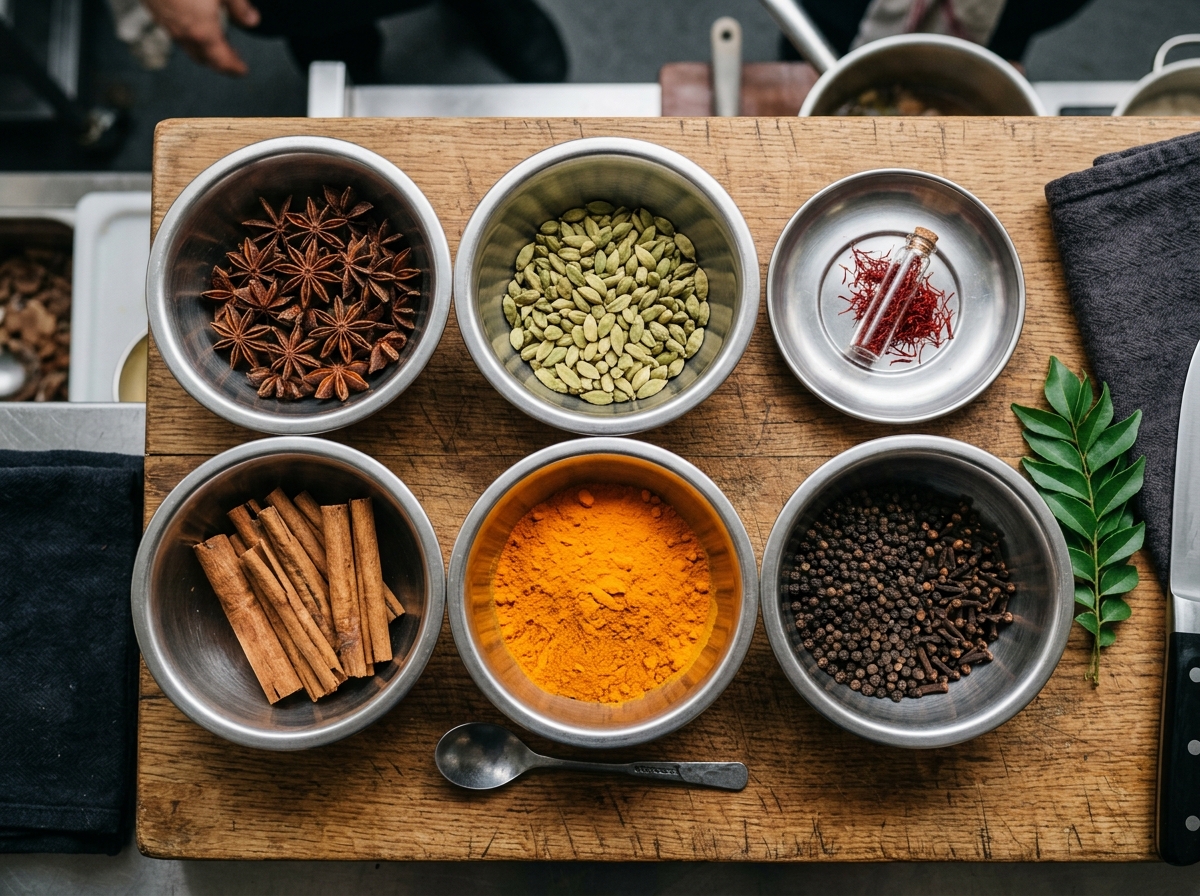
Bowls of whole spices on a wooden board: star anise, cardamom, saffron, cinnamon, turmeric and black pepper

A pantry that tells you what needs attention

Each ingredient shows how much you have against how much you should keep, and it's marked optimal, low or critical. The fresh mint and coriander at 0.8 kg show up in red long before a chef discovers the tub is empty.

The stock screen sits next to the recipe it feeds, so you can see at a glance which dishes an ingredient affects, and the deduction from every KOT is visible as it happens.

From low stock to goods received

When something runs low, you raise a purchase order to your vendor from the same screen, and when the delivery arrives you log goods received against it, item by item. Anything that hasn't arrived yet stays visible as an open item.

It closes the loop: the system that tells you paneer is low is the same one that records that ten kilos have arrived, so the stock figure updates without a separate spreadsheet.

Before and after

What changes when Recipe-Level Inventory is on the job

Stock counts
Without Jamanvar: The month-end count is a surprise.
With Jamanvar: Stock is deducted on every KOT, so you know where you stand daily.
Running out
Without Jamanvar: The chef finds out mid-service that an ingredient is gone.
With Jamanvar: Low-stock alerts arrive while there's time to reorder.
Wastage
Without Jamanvar: Spoilage and sampling are lumped into usage.
With Jamanvar: Wastage is logged separately, so you can see it.
Dish margins
Without Jamanvar: Margins are guessed from old prices.
With Jamanvar: Food cost and margin are calculated per dish from your recipes.

Where it fits

Restaurants that get the most out of it

  1. 01

    Kitchens with recipe costing

    If you already know what goes into each dish, Jamanvar puts that knowledge to work, deducting exact quantities on every sale.

  2. 02

    Restaurants tightening food cost

    When margins are slipping, per-dish cost and a separate wastage log show where the money's going.

  3. 03

    Menus built on fresh, fast-moving ingredients

    Paneer, dairy, mint and coriander don't wait. Status levels and low-stock alerts keep the perishables on your radar.

Where it fits in the flow

Where inventory sits in the flow

Inventory doesn't ask anyone to do extra work. It follows the order through the kitchen and then feeds what it learns into your reports.
  1. 01
    Order
  2. 02
    POS
  3. 03
    KitchenRecipe-Level Inventory
  4. 04
    Table
  5. 05
    Bill & pay
  6. 06
    InsightRecipe-Level Inventory
Kitchen display and KOT routing
As each KOT fires, the recipe quantities for those dishes are deducted from your pantry, so stock is up to date without anyone counting.
Owner reports on your phone
Ingredient movements and recipe costs feed your food-cost figures and margin per dish, next to the day's sales.

Getting started

Set up with you, not handed over.

Start by mapping the recipes for your top-selling dishes, then add the rest over time. You get useful stock figures without having to finish everything first.

Most restaurants are live within 24 to 48 hours of sharing their menu and table count.

  1. 1

    Send us your menu

    A PDF, a photo or the paper menu itself. We set up your dishes, categories, spice levels, Jain options and prices.

  2. 2

    Share your tables

    Tell us your table count and sections, and we configure your floor plan and QR codes around them.

  3. 3

    Pair your hardware

    We help configure ESC/POS thermal printers, USB and LAN connections, cash drawers and kitchen tablets.

  4. 4

    Train the team

    Captains, kitchen staff and cashiers are trained by video or on-site, and we run a test billing cycle before you open.

Questions owners ask

About Recipe-Level Inventory

Do we have to enter every recipe before we can use it?
Recipe-level tracking works from your recipes, so the more complete they are, the more precise your numbers. Starting with your top-selling dishes is a sensible way to get value early, and you can add the rest as you go.
How does stock get deducted?
Each time a KOT is punched, the recipe quantities for those dishes are deducted from your stock. You don't count anything by hand for day-to-day tracking.
Can we track wastage separately from sales?
Yes. Spoilage, sampling and returns are logged as wastage, separate from what was sold, so you can see how much is going to waste rather than folding it into usage.
How do I know when to reorder?
Each ingredient has a threshold and shows as optimal, low or critical. Low-stock alerts warn you before it runs out.
Can I raise purchase orders from Jamanvar?
Yes. You can generate vendor purchase orders and log goods received against them.

See Recipe-Level Inventory with your own menu.

We'll set up a walkthrough around your actual menu, tables and hardware, and answer the questions that matter to your restaurant.